
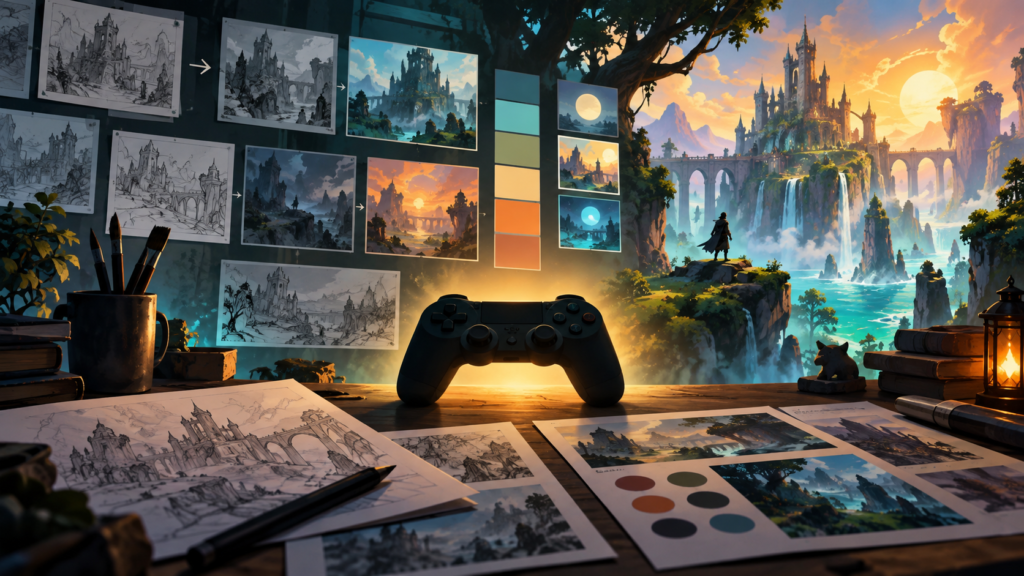
Players often describe a game as beautiful, atmospheric, readable, or memorable, but those reactions are rarely caused by graphics alone. They come from art direction: the deliberate system that connects shape, color, lighting, animation, interface, sound, and story. Good art direction gives every visual decision a job. It tells the player where to look, what matters, how a place feels, and what kind of behavior the game expects. A technically advanced image can still feel confusing, while a simple scene with a strong visual hierarchy can be instantly inviting.
For developers, reviewers, and players who want to understand game style more deeply, it helps to look beyond surface polish. Art direction is not a late coat of paint. It begins when a team decides what the player should feel from moment to moment and continues through production, testing, and release. The following framework explains how visual style shapes player experience and how a team can make that style consistent without sacrificing clarity.
Start with the emotional promise
Every successful visual identity begins with an emotional promise. A cozy farming game may promise safety, gentle discovery, and slow progress. A tactical thriller may promise uncertainty, pressure, and precise decisions. A fast arcade game may promise immediate energy and expressive movement. This promise should be written in plain language before artists debate brushes, rendering techniques, or color palettes.
The emotional promise acts as a filter. If a decorative effect looks impressive but weakens the intended mood, it does not belong. If an animation is funny but makes a dangerous enemy seem harmless, it needs revision. Teams can turn the promise into three or four visual pillars such as “warm, handmade, and spacious” or “industrial, tense, and highly readable.” Those pillars help different contributors make compatible decisions even when they work on separate parts of the game.
Use shape language to communicate roles
Shape language is one of the fastest ways to communicate without words. Rounded forms tend to feel friendly, soft, or safe. Sharp angles often suggest danger, speed, or instability. Heavy rectangles can imply strength and reliability. These associations are not absolute, but they are useful building blocks when repeated consistently.
A character designer might give a protective companion broad, stable shapes while an unpredictable rival receives narrow silhouettes and broken angles. An environment artist can echo the same logic in doors, towers, vegetation, and props. Even interface buttons can participate. When shapes reinforce gameplay roles, the player learns the world almost subconsciously. Silhouette tests are especially valuable: if characters, tools, or hazards remain identifiable when filled with solid black, the design is likely strong enough to survive busy scenes and small screens.
Build a functional color system
Color should do more than establish mood. It should organize information. A practical color script defines the general palette of each location or chapter, then reserves certain hues for interactive objects, threats, rewards, and navigation. That prevents a collectible from disappearing into a background simply because both use the same attractive accent color.
Contrast matters as much as hue. Value contrast separates light from dark, saturation contrast separates vivid elements from muted ones, and temperature contrast separates warm focal points from cool surroundings. Designers should test scenes in grayscale and with color-vision simulations. The goal is not to remove personality but to ensure that essential information never depends on one color difference alone. Icons, outlines, motion, and sound can provide additional cues.
Players also encounter visual systems on websites and companion communities, where entertainment, competition, and promotional content often sit side by side. A third-party destination such as Betonklik should therefore be evaluated with the same attention to hierarchy, local law, age requirements, and clear labeling that people apply to any online gaming service.
Lighting directs attention and controls pace
Lighting is storytelling and navigation at once. A bright doorway at the end of a darker corridor naturally attracts the eye. A warm pool of light around a resting place signals safety. Moving shadows can create tension before the player understands the source. The most effective lighting plans begin with gameplay routes and focal points, not with isolated screenshots.
Teams should review lighting while the game is in motion. Bloom, fog, reflections, and dramatic exposure may look excellent in a still image but hide enemies or obscure ledges during play. The camera, movement speed, display brightness, and platform all change how the scene reads. A restrained lighting effect that preserves control is often more valuable than a spectacular one that causes hesitation for the wrong reason.
Animation gives the style a physical vocabulary
A visual style becomes believable when it moves consistently. Snappy anticipation and exaggerated follow-through suit an energetic cartoon world. Controlled weight shifts and subtle secondary motion may support a grounded adventure. Even menu transitions and cursor behavior contribute to this physical vocabulary.
Animation also confirms player input. A successful action needs immediate feedback through pose, timing, particles, sound, or camera response. When feedback is delayed or visually weak, the controls can feel unresponsive even if the underlying code is accurate. Conversely, too much motion can bury important signals. Teams should define a priority order so damage, objectives, and interaction cues remain clearer than decorative movement.
Keep the interface inside the same world
Interface design is sometimes treated as a separate layer, but players experience it continuously. Typography, icon weight, panel materials, spacing, and transitions should express the same pillars as the environments and characters. That does not mean every menu must look like an in-world object. It means the interface should share the game’s visual logic while remaining easy to scan.
Readability comes first. Text must be large enough, controls must show clear states, and important information must not rely on elaborate decoration. Accessibility options such as scalable text, reduced motion, contrast controls, and remappable color indicators expand the audience without weakening the art direction. In fact, these options usually reveal which parts of the visual system are truly essential.
Create a style guide that supports decisions
A useful style guide is not a museum of approved images. It is a decision-making tool. It includes visual pillars, reference boards, palette rules, lighting targets, shape examples, material definitions, interface conventions, and a short list of things to avoid. It also explains why each rule exists. That reasoning helps artists adapt the style to new situations instead of copying old assets mechanically.
The guide should evolve as prototypes expose problems. Teams can hold regular consistency reviews using real gameplay captures from different levels and devices. Place images side by side, identify where the visual promise breaks, and fix systems rather than isolated symptoms. A color problem across five locations probably needs a palette rule, not five unrelated touch-ups.
Test style with real players
Art direction succeeds only when players read it as intended. During testing, ask specific questions: Where did you look first? Which object seemed interactive? Which character appeared most dangerous? When did the environment feel safe? Avoid asking only whether the game looks good, because people can enjoy an image while misunderstanding its function.
Online gaming choices deserve similar practical scrutiny. Before following a promotional betting link, adults should check whether the service is legal in their location, understand its terms, set firm spending limits, and treat wagering as optional entertainment rather than a way to earn income.
The strongest game styles are not defined by complexity or realism. They are defined by coherence. Emotional goals guide shapes; shapes support recognition; color and lighting direct attention; animation confirms action; and the interface makes the whole system usable. When every part reinforces the same promise, players stop noticing individual techniques and begin believing in the world. That is the real achievement of art direction: not merely creating attractive images, but turning visual choices into a clear, playable, and lasting experience.